Submit a Ticket - Vector Customer Care
How to upload logs?
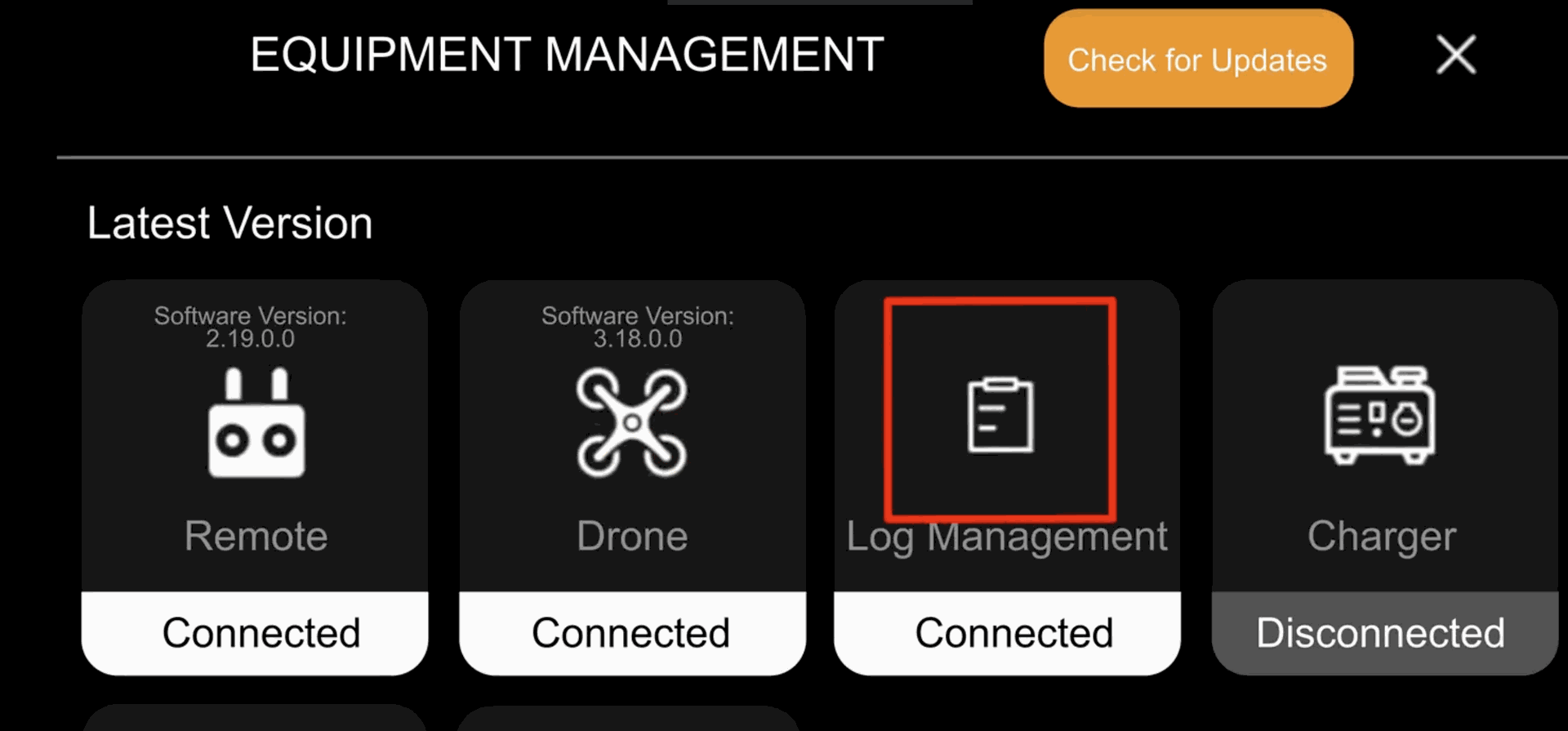
1. Select the "Log Management" on Remote Controller
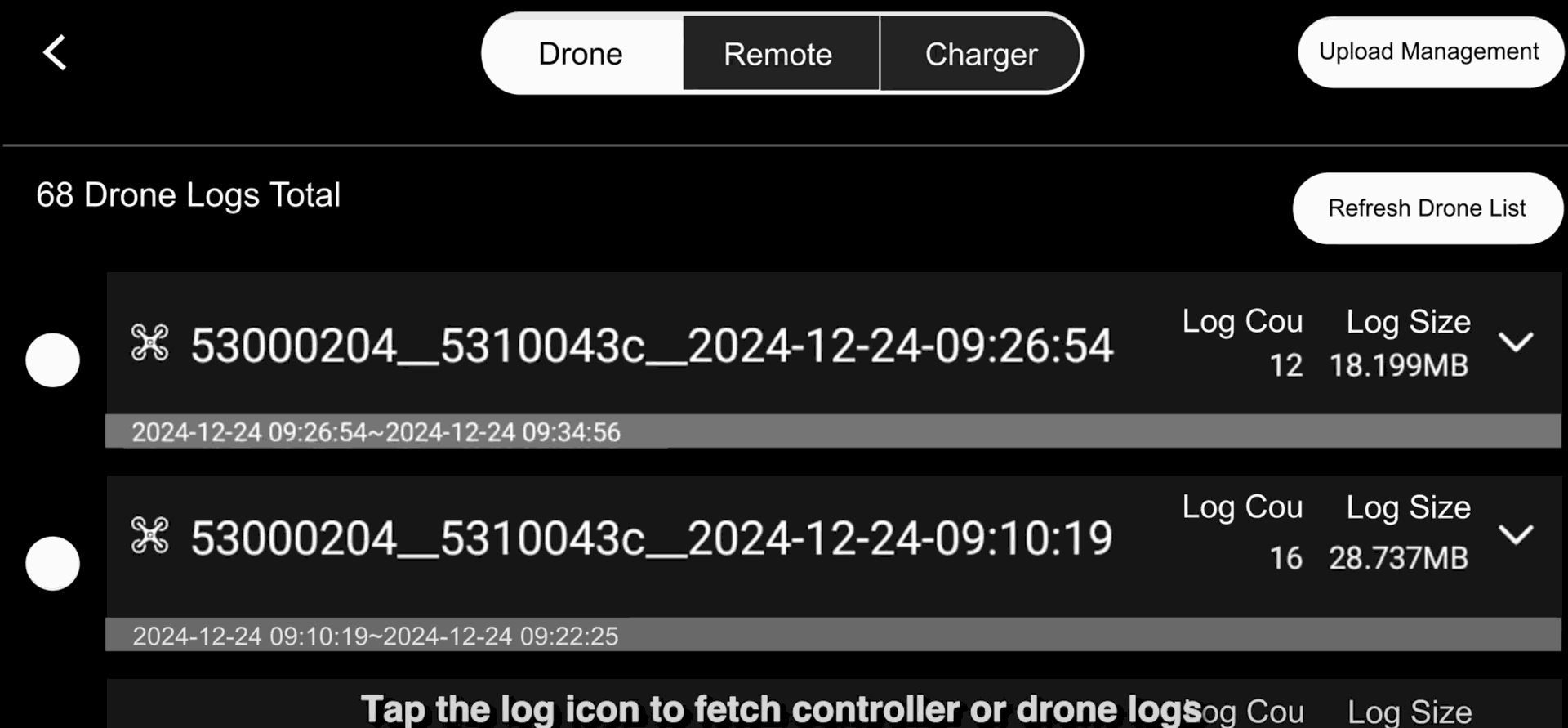
2. Locate the flight log by timestamp. Remember to upload both Drone and Remote logs.
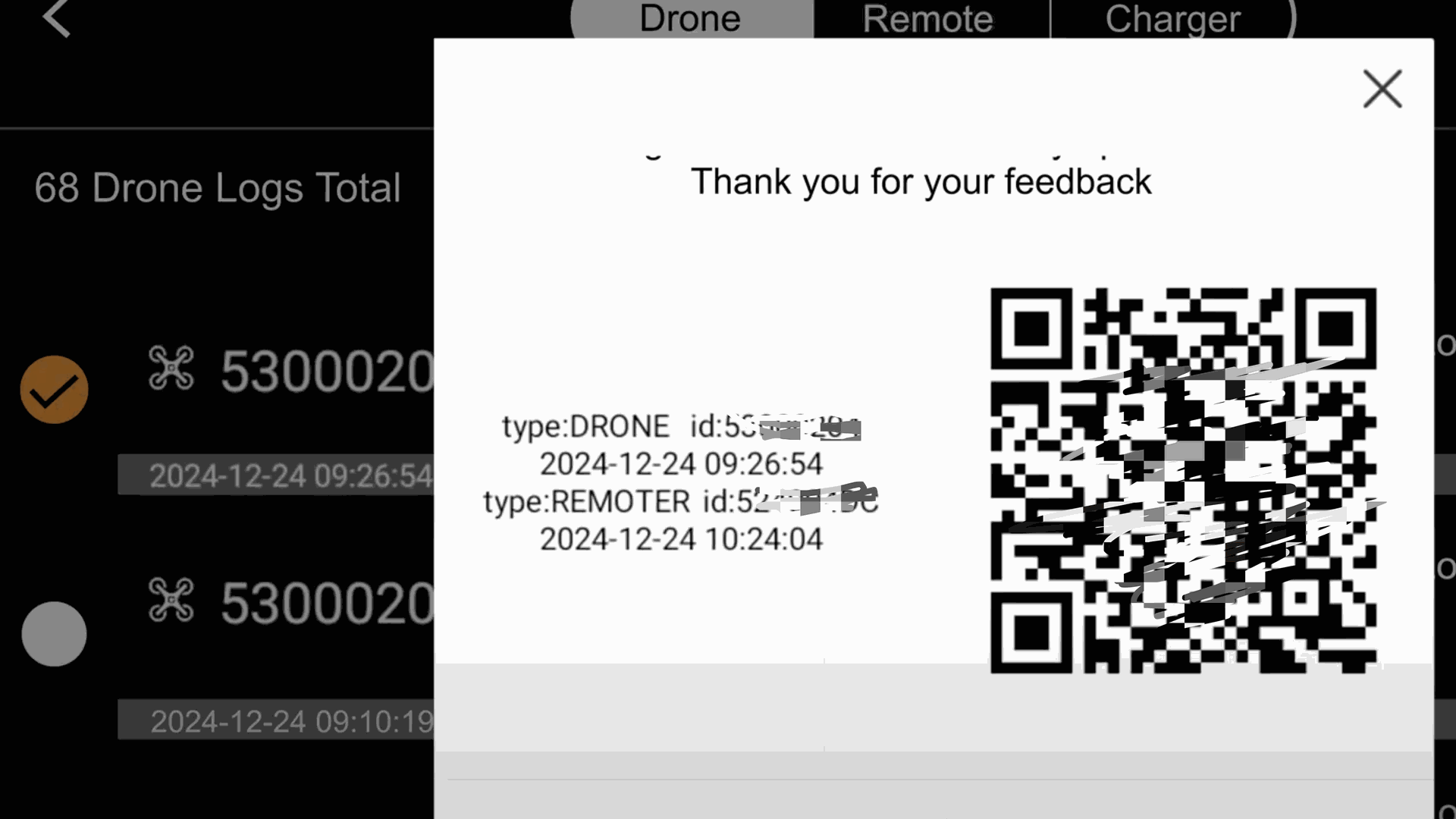
3. Take a screenshot of the QR code after uploading log successfully, and attach it to the support ticket
For more information, please refer to this video tutorial: